B2B SaaS Meta Ads Attribution: A Step-by-Step Guide for 2026
Meta Ads
June 2, 2026
Table Of Contents
No headings found on page
Meta Ads Manager says you drove 47 conversions last month. Your CRM shows 19 qualified leads. Your CFO wants to know which number is real before approving next quarter's budget.
This gap between in-platform reporting and actual pipeline is the attribution problem that haunts nearly every B2B SaaS marketing team running Meta ads. The following guide walks through exactly why this happens, how to set up attribution that connects ad spend to closed-won revenue, and which tools and tactics close the loop between what Meta reports and what your sales team actually sees.
Key Takeaways
B2B SaaS attribution breaks because sales cycles outlast Meta's default 7-day attribution window, and buying committees create multi-device touchpoints that Meta cannot track.
Connecting Meta to your CRM through Conversions API (CAPI) and offline conversion uploads is the only way to see which campaigns actually drive pipeline and revenue.
In-platform reporting will almost always over-report conversions compared to your CRM—expect a gap and plan accordingly.
Optimizing for form fills instead of qualified pipeline trains Meta's algorithm to find low-intent leads, not buyers.
Proper attribution turns Meta from a guessing game into a predictable pipeline channel where you can tie ad spend directly to closed-won revenue.
What B2B SaaS Meta Ads Attribution Actually Means
Attribution is simply the process of connecting ad clicks and impressions to revenue events like trials, demos, and closed-won deals. For B2B SaaS, that means tracking a prospect from the moment they see your Meta ad all the way through your sales pipeline until they sign a contract.
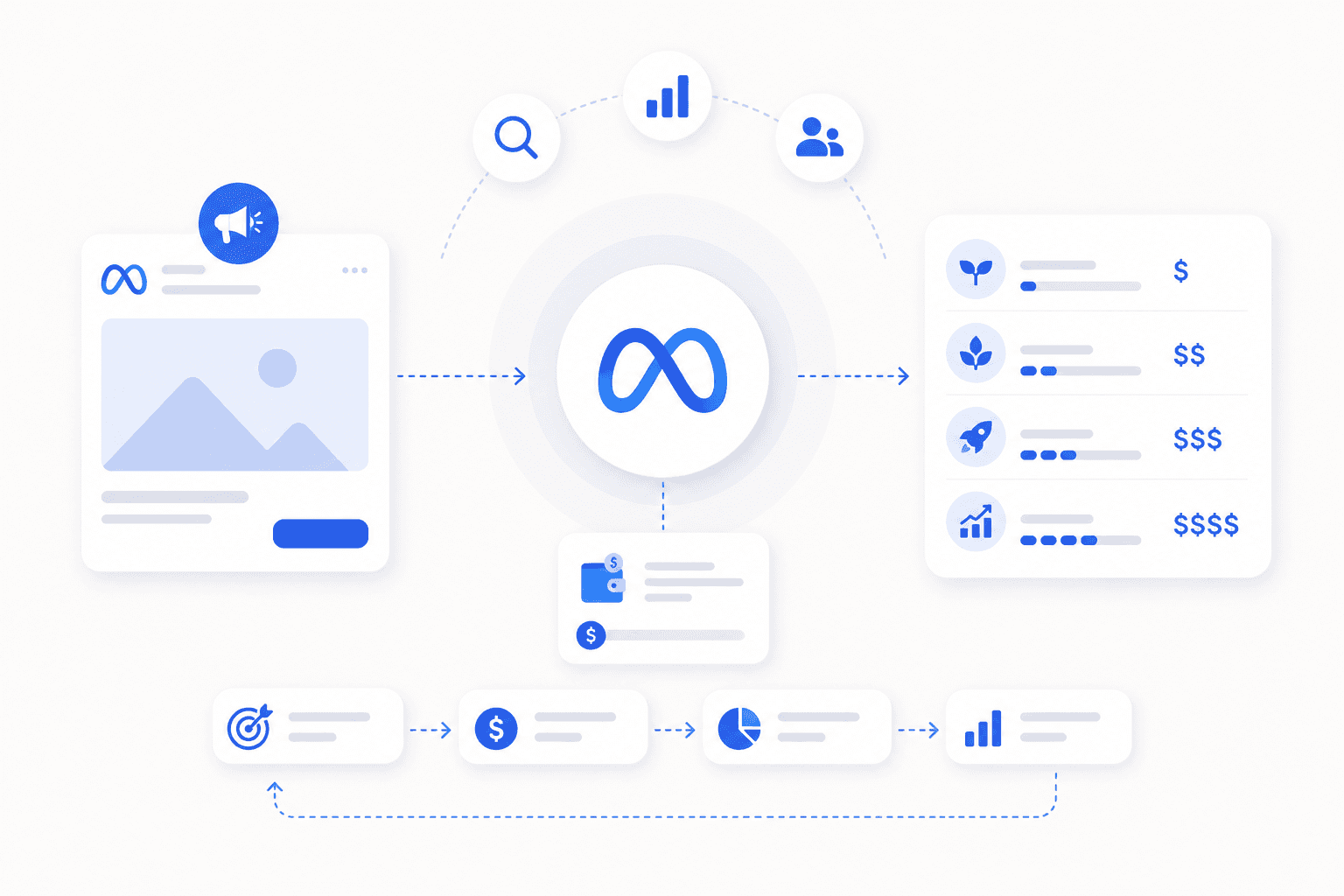
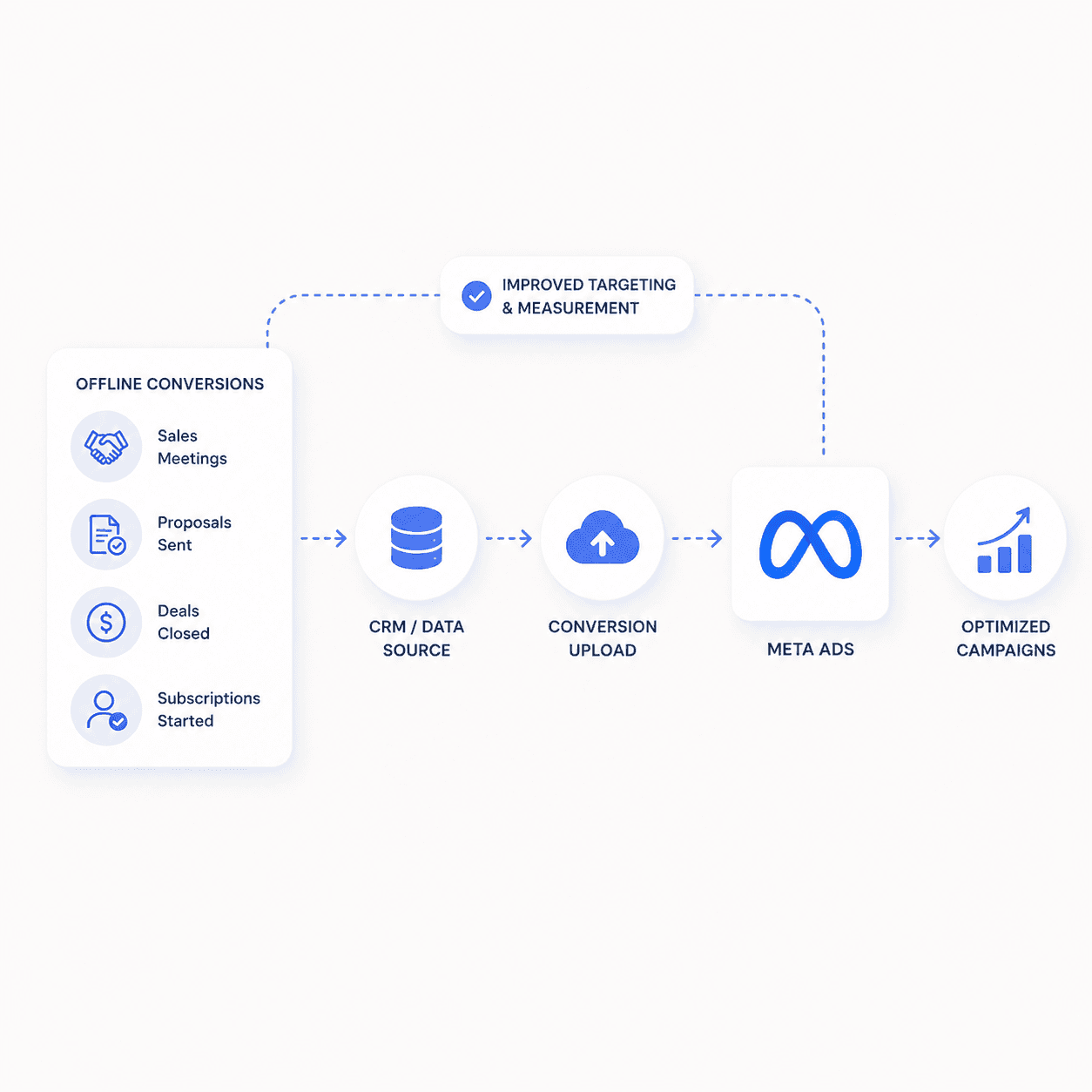
When you feed those revenue events — especially closed-won deals — back to Meta so the platform can optimize toward them, you have closed-loop attribution: the full circle from ad click to closed-won revenue and back into the ad account. Here is the problem, though. Two different systems are telling you two different stories.
Meta Ads Manager reports conversions based on its own tracking—what we call in-platform attribution. Your CRM, on the other hand, records what your sales team actually sees: which leads came in, which ones qualified, and which ones closed. The gap between in-platform numbers and CRM numbers is where most B2B SaaS teams get stuck.
In-platform attribution: What Meta Ads Manager reports based on its pixel and Conversions API data
CRM attribution: What your sales system records as the source of pipeline and revenue
Multi-touch attribution (MTA): A method that distributes credit across multiple touchpoints in the buyer journey
Meta might claim 50 conversions while your CRM shows 30 qualified leads. Why does that happen? And how do you close the gap? That is what the rest of this guide covers.
Why Meta Attribution Breaks for B2B SaaS
Standard Meta attribution settings were built for ecommerce, where someone clicks an ad and buys within hours. B2B SaaS operates on a completely different timeline, and that mismatch causes problems.
Long Sales Cycles That Outlast Meta's Attribution Window
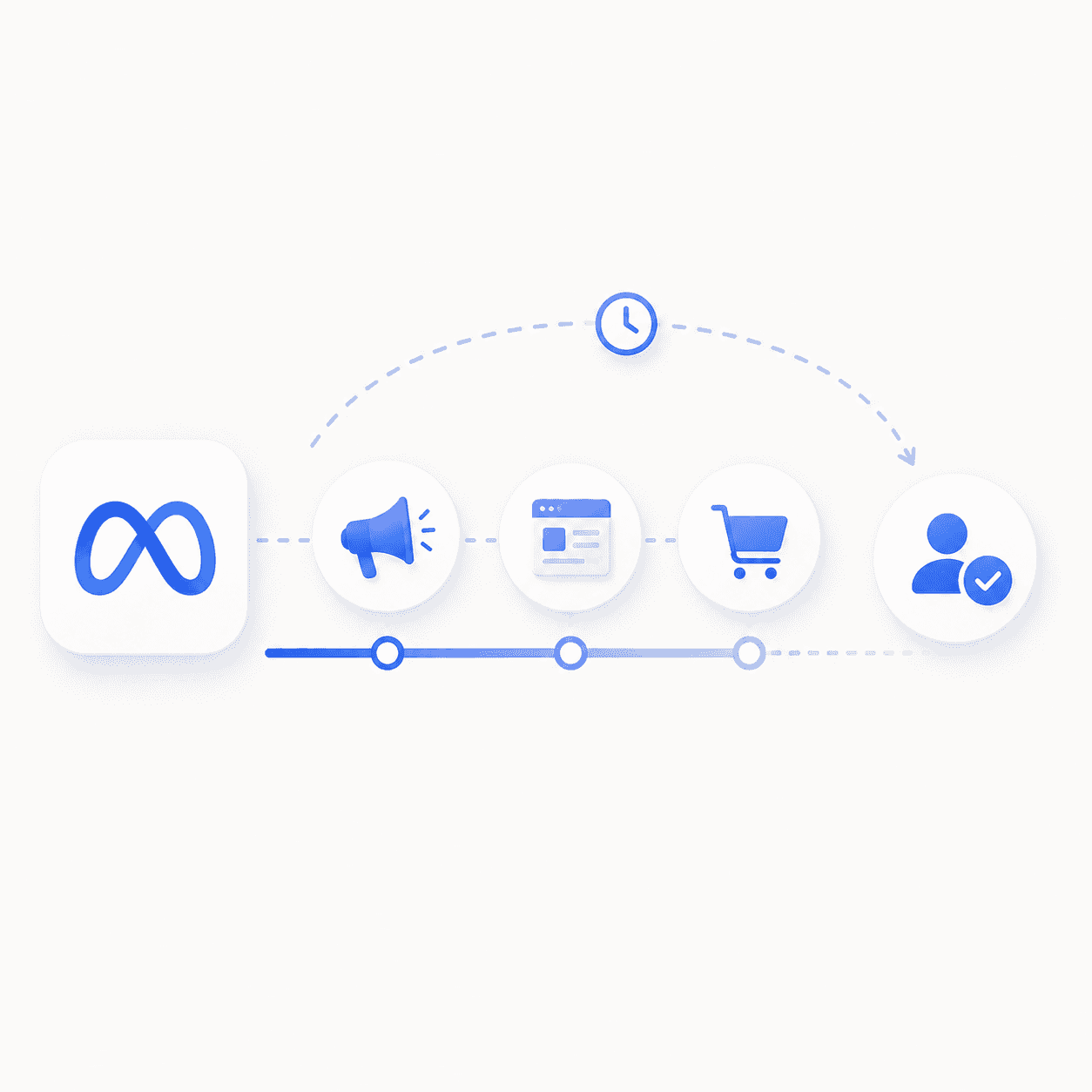
Meta's default attribution window is 7-day click and 1-day view. If your average sales cycle is 45 days, a prospect who clicks today and converts next month falls outside that window entirely. Meta never sees the conversion, so it cannot optimize for it.
Buying Committees and Multi-Stakeholder Touchpoints
B2B purchases involve an average of 13 decision-makers across different devices and sessions. The marketing manager who clicks your ad is not the VP who approves the budget. Meta tracks individual users, not account-level buying behavior, so touchpoints get fragmented or lost entirely.
Low Conversion Volume and Weak Signal
SaaS campaigns typically generate far fewer conversions than DTC campaigns. Where an ecommerce brand might see 500 purchases per week, a SaaS company might see 50 demo requests. Fewer events mean weaker machine-learning signals, which limits Meta's ability to optimize effectively.
iOS Updates and Cookie Deprecation
Apple's App Tracking Transparency (ATT) — AppsFlyer reports that even four years in, only about half of users globally consent to tracking — and the broader deprecation of third-party cookies have reduced Meta's ability to track cross-device and cross-site behavior.
Why Meta Ads Manager Reports More Conversions Than Your CRM
You have probably noticed this already: Meta claims credit for conversions your CRM does not show. This is not a bug. It is a feature of how Meta's attribution works.
Issue
What Meta Reports
What Your CRM Shows
View-through conversions
Counts users who saw an ad but never clicked
Only tracks direct click sources
Attribution window
7-day click, 1-day view by default
Often tracks first or last touch only
Offline conversions
Does not see pipeline or closed-won events
Full visibility into sales stages
View-through attribution is the biggest culprit. Meta gives itself credit when someone sees your ad, never clicks, but later converts through another channel. For B2B SaaS, where click intent matters more than passive exposure, view-through attribution inflates numbers significantly.
The Meta Ads Attribution Models Every B2B SaaS Team Should Know
Last-Click Attribution
Last-click gives full credit to the final touchpoint before conversion. This is Meta's default behavior and tends to under-credit top-of-funnel activity that created initial awareness.
First-Click Attribution
First-click gives full credit to the first touchpoint. It is useful for understanding what initiates demand, though it ignores everything that happens during the nurture phase.
Linear and Time-Decay Attribution
Linear distributes credit equally across all touchpoints. Time-decay gives more credit to touchpoints closer to conversion. Both generally require external tools to implement since Meta does not offer them natively.
Data-Driven Multi-Touch Attribution
MTA uses algorithms to assign credit based on observed conversion patterns. The catch is that it requires enough conversion volume to be statistically reliable, which many B2B SaaS campaigns lack.
Media Mix Modeling and Incrementality Testing
Media Mix Modeling (MMM) measures channel impact using aggregate data rather than user-level tracking. Incrementality testing—like geo holdouts where you pause ads in specific regions—isolates true lift. Both are advanced methods, but they are the gold standard for proving Meta's actual impact. A post-conversion survey asking prospects how they found you provides a complementary self-reported signal that validates platform data.
How to Pick the Right Attribution Window for SaaS Sales Cycles
Meta offers several attribution window options: 1-day click, 7-day click, 1-day view, and 7-day view. The right choice depends on your sales cycle length.
Sales cycle under 7 days: 7-day click may capture most conversions
Sales cycle 14–30 days: You likely need offline conversion uploads to close the loop
Sales cycle over 30 days: Rely on CRM attribution and use Meta as a directional signal only
For most B2B SaaS companies, the answer is some combination of the second and third options. Meta's windows are simply too short to capture the full buyer journey on their own.
The Step-by-Step B2B SaaS Meta Ads Attribution Setup
The eight steps below are how you build closed-loop attribution for B2B SaaS: a system that ties Meta ad spend to closed-won revenue and sends that signal back to Meta.
1. Map Your Funnel Events From Click to Closed Won
Start by documenting every conversion event from ad click through to revenue: page view, form fill, marketing qualified lead (MQL), sales qualified lead (SQL), opportunity created, and closed-won. You cannot attribute what you do not track, so get specific about each stage.
2. Install the Meta Pixel and Conversions API
Proper Meta pixel implementation tracks browser-side events while CAPI sends server-side events directly to Meta. Both are required for accurate tracking in a post-iOS environment. GWI data shows 29.5% of internet users run ad blockers at least sometimes, which prevents pixel fires entirely, so the pixel alone is not enough anymore.
3. Standardize UTM Parameters Across Every Campaign
Inconsistent UTMs make CRM attribution unreliable. Use a clear structure and stick to it:
utm_source: meta or facebook
utm_medium: paid-social or cpc
utm_campaign: campaign name matching your Meta campaign
utm_content: ad name or ad ID for creative-level tracking
4. Send Offline Conversions From Your CRM Back to Meta
Offline conversion uploads—through CAPI or manual CSV—tell Meta which leads became customers. This closes the feedback loop and improves optimization. Meta reports that advertisers using CAPI see an average 17.8% lower cost per result. HubSpot and Salesforce both offer native integrations for this workflow.
5. Set Your Attribution Window and View-Through Rules
Configure attribution settings in Meta Ads Manager. For B2B SaaS, consider disabling or heavily discounting view-through attribution since click intent matters more than passive ad exposure.
6. Layer a Multi-Touch Attribution Tool On Top
Meta's native attribution is insufficient for B2B. Adding a third-party MTA tool reconciles Meta data with CRM data across the full funnel and gives you a more complete picture.
7. Run Geo Holdouts to Validate Incrementality
Pause ads in specific regions and compare outcomes to measure true incremental lift. This is the most reliable way to prove Meta's actual impact on pipeline rather than relying on correlation.
8. Build a Reconciled Reporting View Across Meta and CRM
Create a unified dashboard comparing Meta-reported conversions to CRM-confirmed pipeline and revenue. This makes attribution gaps visible and improves budget decisions over time.
Build a KPI Hierarchy That Ladders to Revenue
Once attribution is wired up, don't read metrics in the order Ads Manager hands them to you. Build your reporting from the outcome down, in three tiers. The base tier tracks cost per mille (CPM), click-through rate (CTR), and cost per lead (CPL).
Tier
Metrics
What It Answers
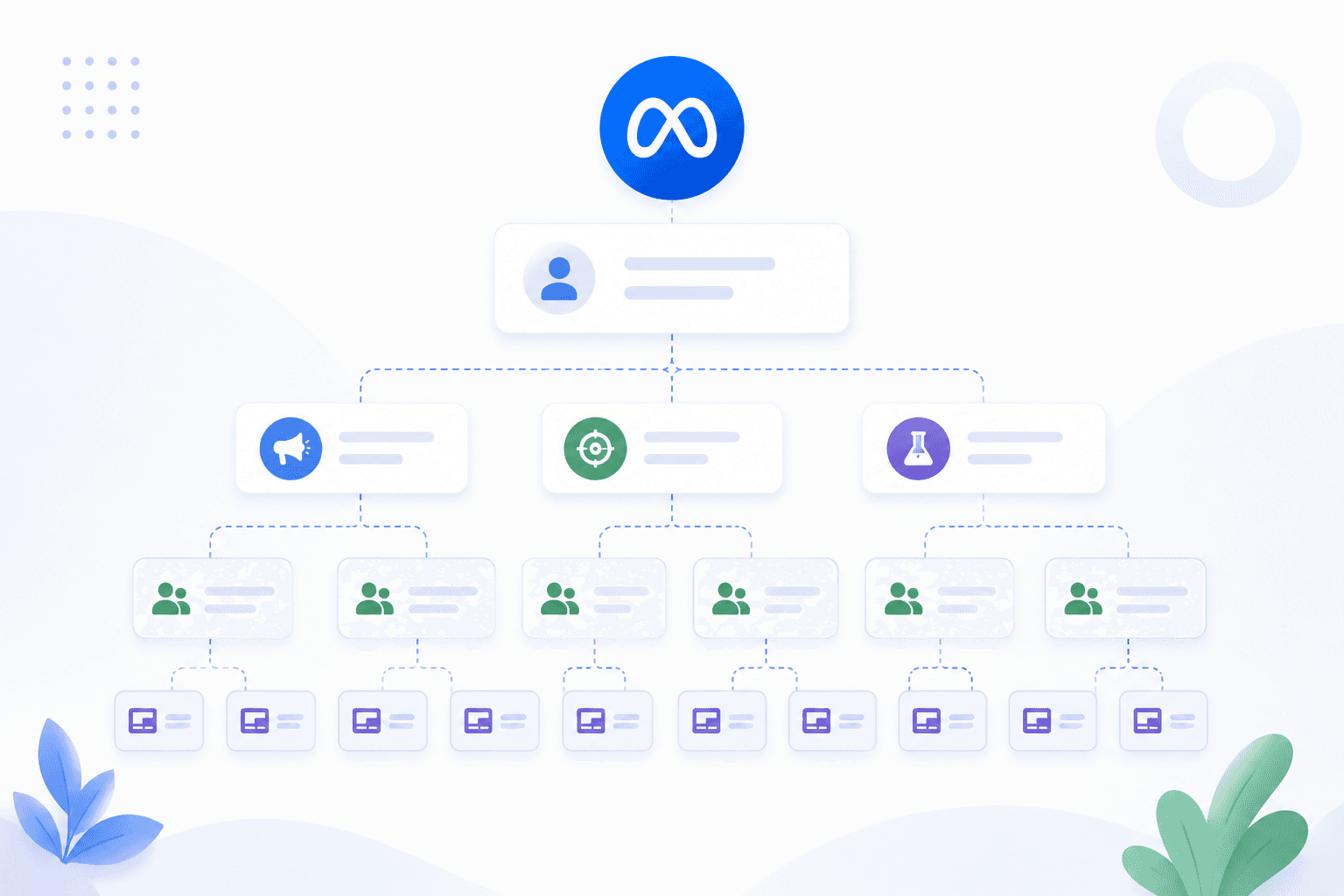
Read Alone or Paired?
Platform Efficiency (base)
CPM, CTR, CPL, frequency
Is the campaign running and delivering?
Context only, never a standalone success signal
Lead Quality (middle)
Lead-to-SQL rate, MQL-to-opportunity rate, % of Meta leads sales actually accepts
Are the leads real?
Always read CPL next to lead-to-SQL rate, a falling CPL means nothing on its own
Pipeline & Revenue (top)
Pipeline influenced, opportunities created, closed-won tied back to Meta
Is the program actually working?
This is the only tier your CFO reads
The order matters. Efficiency without quality is cheap volume that goes nowhere. Quality without a pipeline tier is a story you can't finish in front of finance. If your reporting stops at CPL and CTR, you're only halfway to a report anyone with budget authority will trust.
The Best Attribution Tools for B2B SaaS Facebook Ads
Tool
Best For
CRM Integration
Offline Conversions
HubSpot + CAPI
Teams on HubSpot CRM
Native
Yes
Dreamdata
Account-based attribution
Salesforce, HubSpot
Yes
Cometly
Multi-platform attribution
Multiple
Yes
Ruler Analytics
Lead and call tracking
Multiple
Yes
HockeyStack
B2B SaaS analytics
Salesforce, HubSpot
Yes
GA4
Basic cross-channel tracking
Limited
No
Dreamdata and HockeyStack are particularly strong for B2B SaaS because they track account-level journeys rather than individual users. GA4 works for basic cross-channel tracking but lacks offline conversion support, which limits its usefulness for longer sales cycles.
Common Meta Ads Attribution Mistakes B2B SaaS Teams Make
Trusting In-Platform Numbers as the Source of Truth
Meta will over-report. Always validate against your CRM before making budget decisions. The gap between platform return on ad spend (ROAS) and blended ROAS is real, and ignoring it leads to misallocated spend.
Optimizing for Form Fills Instead of Qualified Pipeline
Optimizing for top-of-funnel leads inflates volume but not revenue. The right offer and lead magnet paired with down-funnel optimization—typically MQLs or trial starts rather than raw form submissions—is what moves pipeline.
Ignoring View-Through Conversions Entirely
View-through data is not worthless, but it requires heavy discounting for performance campaigns. For brand campaigns, view-through may capture real influence—Forrester found that 92% of B2B buyers already have a vendor in mind before formal evaluation begins. The key is knowing when to count it and when to discount it.
Meta Ads Manager says you drove 47 conversions last month. Your CRM shows 19 qualified leads. Your CFO wants to know which number is real before approving next quarter's budget.
This gap between in-platform reporting and actual pipeline is the attribution problem that haunts nearly every B2B SaaS marketing team running Meta ads. The following guide walks through exactly why this happens, how to set up attribution that connects ad spend to closed-won revenue, and which tools and tactics close the loop between what Meta reports and what your sales team actually sees.
Key Takeaways
B2B SaaS attribution breaks because sales cycles outlast Meta's default 7-day attribution window, and buying committees create multi-device touchpoints that Meta cannot track.
Connecting Meta to your CRM through Conversions API (CAPI) and offline conversion uploads is the only way to see which campaigns actually drive pipeline and revenue.
In-platform reporting will almost always over-report conversions compared to your CRM—expect a gap and plan accordingly.
Optimizing for form fills instead of qualified pipeline trains Meta's algorithm to find low-intent leads, not buyers.
Proper attribution turns Meta from a guessing game into a predictable pipeline channel where you can tie ad spend directly to closed-won revenue.
What B2B SaaS Meta Ads Attribution Actually Means
Attribution is simply the process of connecting ad clicks and impressions to revenue events like trials, demos, and closed-won deals. For B2B SaaS, that means tracking a prospect from the moment they see your Meta ad all the way through your sales pipeline until they sign a contract.
When you feed those revenue events — especially closed-won deals — back to Meta so the platform can optimize toward them, you have closed-loop attribution: the full circle from ad click to closed-won revenue and back into the ad account. Here is the problem, though. Two different systems are telling you two different stories.
Meta Ads Manager reports conversions based on its own tracking—what we call in-platform attribution. Your CRM, on the other hand, records what your sales team actually sees: which leads came in, which ones qualified, and which ones closed. The gap between in-platform numbers and CRM numbers is where most B2B SaaS teams get stuck.
In-platform attribution: What Meta Ads Manager reports based on its pixel and Conversions API data
CRM attribution: What your sales system records as the source of pipeline and revenue
Multi-touch attribution (MTA): A method that distributes credit across multiple touchpoints in the buyer journey
Meta might claim 50 conversions while your CRM shows 30 qualified leads. Why does that happen? And how do you close the gap? That is what the rest of this guide covers.
Why Meta Attribution Breaks for B2B SaaS
Standard Meta attribution settings were built for ecommerce, where someone clicks an ad and buys within hours. B2B SaaS operates on a completely different timeline, and that mismatch causes problems.
Long Sales Cycles That Outlast Meta's Attribution Window
Meta's default attribution window is 7-day click and 1-day view. If your average sales cycle is 45 days, a prospect who clicks today and converts next month falls outside that window entirely. Meta never sees the conversion, so it cannot optimize for it.
Buying Committees and Multi-Stakeholder Touchpoints
B2B purchases involve an average of 13 decision-makers across different devices and sessions. The marketing manager who clicks your ad is not the VP who approves the budget. Meta tracks individual users, not account-level buying behavior, so touchpoints get fragmented or lost entirely.
Low Conversion Volume and Weak Signal
SaaS campaigns typically generate far fewer conversions than DTC campaigns. Where an ecommerce brand might see 500 purchases per week, a SaaS company might see 50 demo requests. Fewer events mean weaker machine-learning signals, which limits Meta's ability to optimize effectively.
iOS Updates and Cookie Deprecation
Apple's App Tracking Transparency (ATT) — AppsFlyer reports that even four years in, only about half of users globally consent to tracking — and the broader deprecation of third-party cookies have reduced Meta's ability to track cross-device and cross-site behavior.
Why Meta Ads Manager Reports More Conversions Than Your CRM
You have probably noticed this already: Meta claims credit for conversions your CRM does not show. This is not a bug. It is a feature of how Meta's attribution works.
Issue
What Meta Reports
What Your CRM Shows
View-through conversions
Counts users who saw an ad but never clicked
Only tracks direct click sources
Attribution window
7-day click, 1-day view by default
Often tracks first or last touch only
Offline conversions
Does not see pipeline or closed-won events
Full visibility into sales stages
View-through attribution is the biggest culprit. Meta gives itself credit when someone sees your ad, never clicks, but later converts through another channel. For B2B SaaS, where click intent matters more than passive exposure, view-through attribution inflates numbers significantly.
The Meta Ads Attribution Models Every B2B SaaS Team Should Know
Last-Click Attribution
Last-click gives full credit to the final touchpoint before conversion. This is Meta's default behavior and tends to under-credit top-of-funnel activity that created initial awareness.
First-Click Attribution
First-click gives full credit to the first touchpoint. It is useful for understanding what initiates demand, though it ignores everything that happens during the nurture phase.
Linear and Time-Decay Attribution
Linear distributes credit equally across all touchpoints. Time-decay gives more credit to touchpoints closer to conversion. Both generally require external tools to implement since Meta does not offer them natively.
Data-Driven Multi-Touch Attribution
MTA uses algorithms to assign credit based on observed conversion patterns. The catch is that it requires enough conversion volume to be statistically reliable, which many B2B SaaS campaigns lack.
Media Mix Modeling and Incrementality Testing
Media Mix Modeling (MMM) measures channel impact using aggregate data rather than user-level tracking. Incrementality testing—like geo holdouts where you pause ads in specific regions—isolates true lift. Both are advanced methods, but they are the gold standard for proving Meta's actual impact. A post-conversion survey asking prospects how they found you provides a complementary self-reported signal that validates platform data.
How to Pick the Right Attribution Window for SaaS Sales Cycles
Meta offers several attribution window options: 1-day click, 7-day click, 1-day view, and 7-day view. The right choice depends on your sales cycle length.
Sales cycle under 7 days: 7-day click may capture most conversions
Sales cycle 14–30 days: You likely need offline conversion uploads to close the loop
Sales cycle over 30 days: Rely on CRM attribution and use Meta as a directional signal only
For most B2B SaaS companies, the answer is some combination of the second and third options. Meta's windows are simply too short to capture the full buyer journey on their own.
The Step-by-Step B2B SaaS Meta Ads Attribution Setup
The eight steps below are how you build closed-loop attribution for B2B SaaS: a system that ties Meta ad spend to closed-won revenue and sends that signal back to Meta.
1. Map Your Funnel Events From Click to Closed Won
Start by documenting every conversion event from ad click through to revenue: page view, form fill, marketing qualified lead (MQL), sales qualified lead (SQL), opportunity created, and closed-won. You cannot attribute what you do not track, so get specific about each stage.
2. Install the Meta Pixel and Conversions API
Proper Meta pixel implementation tracks browser-side events while CAPI sends server-side events directly to Meta. Both are required for accurate tracking in a post-iOS environment. GWI data shows 29.5% of internet users run ad blockers at least sometimes, which prevents pixel fires entirely, so the pixel alone is not enough anymore.
3. Standardize UTM Parameters Across Every Campaign
Inconsistent UTMs make CRM attribution unreliable. Use a clear structure and stick to it:
utm_source: meta or facebook
utm_medium: paid-social or cpc
utm_campaign: campaign name matching your Meta campaign
utm_content: ad name or ad ID for creative-level tracking
4. Send Offline Conversions From Your CRM Back to Meta
Offline conversion uploads—through CAPI or manual CSV—tell Meta which leads became customers. This closes the feedback loop and improves optimization. Meta reports that advertisers using CAPI see an average 17.8% lower cost per result. HubSpot and Salesforce both offer native integrations for this workflow.
5. Set Your Attribution Window and View-Through Rules
Configure attribution settings in Meta Ads Manager. For B2B SaaS, consider disabling or heavily discounting view-through attribution since click intent matters more than passive ad exposure.
6. Layer a Multi-Touch Attribution Tool On Top
Meta's native attribution is insufficient for B2B. Adding a third-party MTA tool reconciles Meta data with CRM data across the full funnel and gives you a more complete picture.
7. Run Geo Holdouts to Validate Incrementality
Pause ads in specific regions and compare outcomes to measure true incremental lift. This is the most reliable way to prove Meta's actual impact on pipeline rather than relying on correlation.
8. Build a Reconciled Reporting View Across Meta and CRM
Create a unified dashboard comparing Meta-reported conversions to CRM-confirmed pipeline and revenue. This makes attribution gaps visible and improves budget decisions over time.
Build a KPI Hierarchy That Ladders to Revenue
Once attribution is wired up, don't read metrics in the order Ads Manager hands them to you. Build your reporting from the outcome down, in three tiers. The base tier tracks cost per mille (CPM), click-through rate (CTR), and cost per lead (CPL).
Tier
Metrics
What It Answers
Read Alone or Paired?
Platform Efficiency (base)
CPM, CTR, CPL, frequency
Is the campaign running and delivering?
Context only, never a standalone success signal
Lead Quality (middle)
Lead-to-SQL rate, MQL-to-opportunity rate, % of Meta leads sales actually accepts
Are the leads real?
Always read CPL next to lead-to-SQL rate, a falling CPL means nothing on its own
Pipeline & Revenue (top)
Pipeline influenced, opportunities created, closed-won tied back to Meta
Is the program actually working?
This is the only tier your CFO reads
The order matters. Efficiency without quality is cheap volume that goes nowhere. Quality without a pipeline tier is a story you can't finish in front of finance. If your reporting stops at CPL and CTR, you're only halfway to a report anyone with budget authority will trust.
The Best Attribution Tools for B2B SaaS Facebook Ads
Tool
Best For
CRM Integration
Offline Conversions
HubSpot + CAPI
Teams on HubSpot CRM
Native
Yes
Dreamdata
Account-based attribution
Salesforce, HubSpot
Yes
Cometly
Multi-platform attribution
Multiple
Yes
Ruler Analytics
Lead and call tracking
Multiple
Yes
HockeyStack
B2B SaaS analytics
Salesforce, HubSpot
Yes
GA4
Basic cross-channel tracking
Limited
No
Dreamdata and HockeyStack are particularly strong for B2B SaaS because they track account-level journeys rather than individual users. GA4 works for basic cross-channel tracking but lacks offline conversion support, which limits its usefulness for longer sales cycles.
Common Meta Ads Attribution Mistakes B2B SaaS Teams Make
Trusting In-Platform Numbers as the Source of Truth
Meta will over-report. Always validate against your CRM before making budget decisions. The gap between platform return on ad spend (ROAS) and blended ROAS is real, and ignoring it leads to misallocated spend.
Optimizing for Form Fills Instead of Qualified Pipeline
Optimizing for top-of-funnel leads inflates volume but not revenue. The right offer and lead magnet paired with down-funnel optimization—typically MQLs or trial starts rather than raw form submissions—is what moves pipeline.
Ignoring View-Through Conversions Entirely
View-through data is not worthless, but it requires heavy discounting for performance campaigns. For brand campaigns, view-through may capture real influence—Forrester found that 92% of B2B buyers already have a vendor in mind before formal evaluation begins. The key is knowing when to count it and when to discount it.
Looking for Meta ads support?
We're a small, hardworking US-based team. Book a call and get a free audit today.
Without offline conversion data, Meta cannot optimize for revenue outcomes. Uploading closed-won data back to Meta is non-negotiable for B2B SaaS if you want the algorithm to find buyers rather than tire-kickers.
How to Use Attribution Data to Sharpen Creative and Landing Pages
Proper attribution reveals which ad creatives and landing pages drive pipeline—not just clicks. This is where Flighted's approach of treating Paid Media Expertise, Creative Strategy, and Landing Page Design as interdependent becomes critical. Attribution data is the connective tissue that makes creative and landing page decisions data-driven rather than gut-driven.
Creative testing: Attribution data identifies which creative strategies—hooks, formats, and messages—drive qualified pipeline
Landing page optimization: Attribution reveals which pages convert clicks to MQLs and SQLs, not just form fills
Audience refinement: Attribution data shows which audiences produce revenue, enabling smarter targeting
When you know which creative angles and landing pages actually generate revenue, you can double down on what works and cut what does not.
Turn Meta Into a Predictable Pipeline Channel for Your SaaS
The steps above transform Meta from a black box into a measurable pipeline source. Implement CAPI, upload offline conversions, layer on MTA tooling, and validate with incrementality testing. This is the same progression we ran for Tie, a B2B SaaS client — by shifting Meta's optimization away from raw form fills toward qualified, revenue-aligned events, the account was profitable within 30 days at a month-1 Pipeline ROAS above 5x. The result is a system where you can tie ad spend directly to closed-won revenue with confidence.
Match Reporting Cadence to the Stakeholder
Different people read this data for different decisions. One report on one schedule serves nobody well:
Lead quality tier: lead-to-SQL rate, MQL-to-opportunity conversion, funnel stage breakdown
Finance and executives
Monthly to quarterly
What did Meta actually return in pipeline and revenue?
Pipeline and revenue tier: pipeline influenced, opportunities created, closed-won tied to Meta spend
Pair this cadence table with the KPI hierarchy above: each stakeholder should only ever see the tier that answers their specific question, not the full stack of numbers every time.
For teams that want hands-on help implementing this system, book a call with Flighted. We bring together Paid Media Expertise, Creative Strategy, and Landing Page Design to turn attribution insights into predictable growth for B2B SaaS businesses.
Frequently Asked Questions About B2B SaaS Meta Ads Attribution
What is closed-loop attribution for B2B SaaS Meta ads?
Closed-loop attribution connects a Meta ad click to a closed-won deal in your CRM and then sends that revenue event back to Meta so the algorithm optimizes for buyers, not form fills. For B2B SaaS it requires the Conversions API plus offline conversion uploads because sales cycles outlast Meta's 7-day click window.
What is the 7-1-1 attribution window in Meta Ads?
The 7-1-1 attribution window means Meta gives credit for conversions within 7 days of a click, 1 day of a view on Facebook, or 1 day of a view on Instagram. This is Meta's default setting and can be adjusted in Ads Manager.
How long does it take to set up Meta Conversions API for a B2B SaaS?
Setup time depends on your tech stack. Most teams can implement CAPI within a few days using native CRM integrations like HubSpot, or within a few weeks if custom development is required.
Can Facebook Lead Ads work with full-funnel attribution for B2B SaaS?
Yes, if submissions are synced to your CRM and offline conversions are uploaded back to Meta. This allows you to track which leads become customers rather than just counting form fills.
How is Meta's new attribution setting different from the old 28-day window?
Meta removed the 28-day click attribution window after iOS 14.5, limiting the maximum click-through window to 7 days. B2B SaaS teams with a median sales cycle of 84 days now rely on offline conversion uploads and external attribution tools to capture the full buyer journey.
How often should I report on Meta ads attribution to different stakeholders?
Cadence should match the decision each stakeholder owns, not a single company-wide schedule. Media buyers need daily to weekly views of platform efficiency (CPM, CTR, CPL, frequency) to make same-week optimization calls. Marketing leadership needs weekly to biweekly views of lead quality (lead-to-SQL rate, MQL-to-opportunity conversion) to judge whether the program is producing real pipeline. Finance and executives need monthly to quarterly views of pipeline and revenue (pipeline influenced, closed-won tied to Meta spend), since that's the only tier tied to budget decisions. Sending everyone the same report on the same schedule means most of them are reading data that isn't relevant to what they're deciding.
What KPIs matter most for B2B SaaS Meta ads reporting?
Build reporting in three tiers, from the outcome down rather than from Ads Manager up. Platform efficiency (CPM, CTR, CPL, frequency) is context only, never a standalone success signal. Lead quality (lead-to-SQL rate, MQL-to-opportunity rate) tells you whether the leads are real, always read CPL next to lead-to-SQL rate rather than in isolation. Pipeline and revenue (pipeline influenced, opportunities created, closed-won tied back to Meta) is the tier that answers whether the program is actually working, and it's the only one finance needs to see.