Meta Ads Attribution Windows Explained
Meta Ads
May 7, 2026
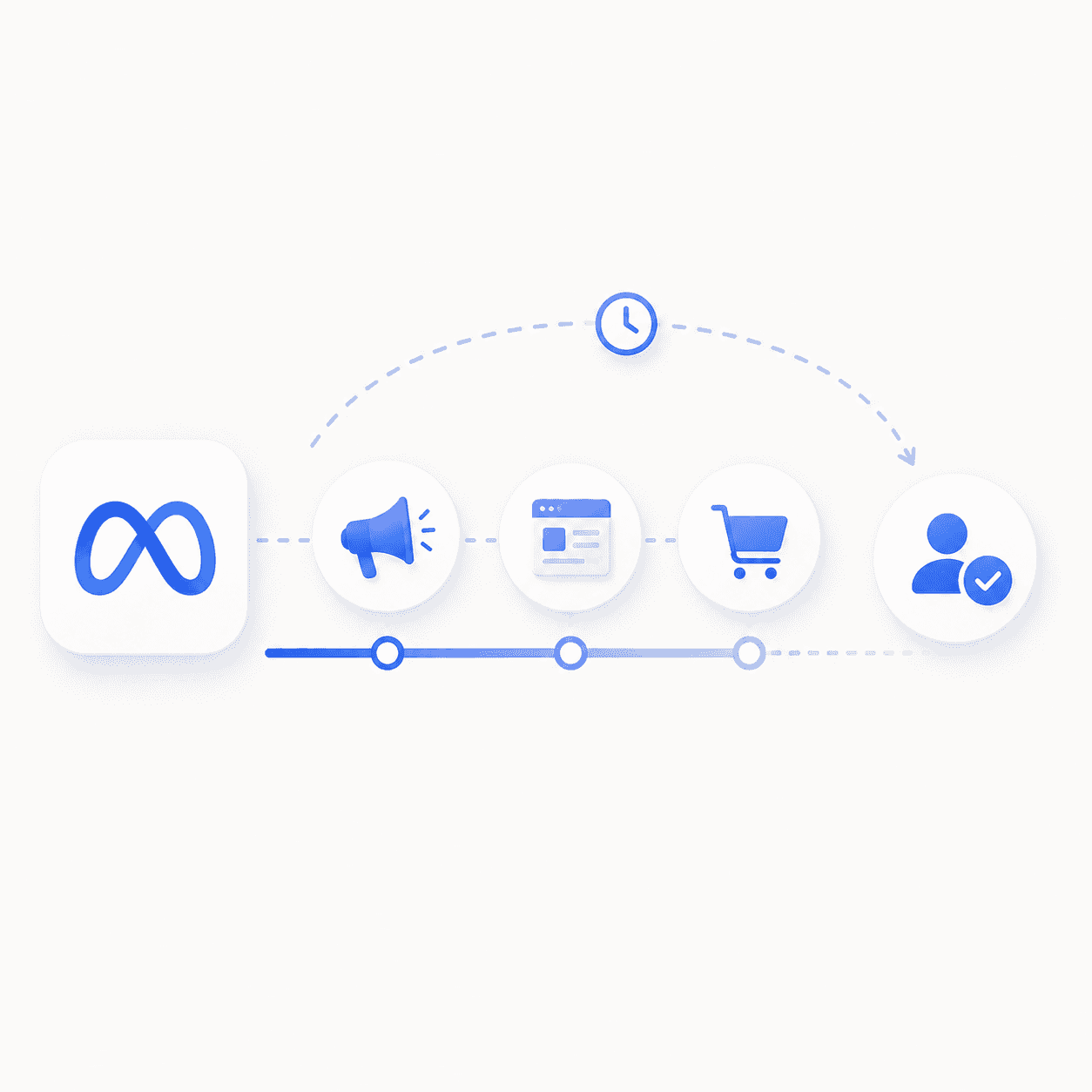
Table Of Contents
Meta reports 150 conversions. GA4 says 110. HubSpot says 90. All three are technically correct—they're just measuring different things.
Meta ads attribution is the system that determines which ads get credit for conversions based on user interactions within specific time windows. This guide covers how attribution windows work, the differences between click-through and view-through attribution, why your numbers never match across platforms, and how to choose settings that actually reflect your business.
Key Takeaways
Meta attributes conversions based on click and view interactions; the default is 7-day click and 1-day view.
Click-through attribution is the most accurate, while view-through attribution often inflates reported numbers.
Attribution settings affect reporting and algorithmic optimization, not the actual number of sales occurring.
Discrepancies between Meta, GA4, and Shopify are normal due to differing tracking methodologies.
Use Marketing Efficiency Ratio (MER) to validate the true impact of your ad spend.
What Meta ads attribution means
Meta ads attribution is a system that credits specific ads for user actions—purchases, sign-ups, leads—purchases, sign-ups, leadswithin defined timeframes after someone clicks or views an ad. Put simply, when a customer buys from your store, attribution answers one question: which ad interaction, if any, caused that conversion?
The system tracks three core components:
Attribution: The process of assigning credit to ads that led to conversions
Conversion: A completed action (purchase, lead, signup) that Meta tracks via the Pixel or Conversions API
Attribution window: The time period after an ad interaction during which Meta can claim credit for a conversion
Meta's default attribution setting for sales campaigns is 7-day click and 1-day view. In practice, this means Meta will take credit for a conversion if the user clicked your ad within the past 7 days or viewed it within the past 24 hours—even if they never clicked.
This distinction matters because it directly affects how Meta reports your results. It also affects how Meta's algorithm optimizes delivery, since the algorithm learns from the conversions it can "see" within your selected window.
How Meta attribution windows work
Attribution windows define the timeframe Meta uses to connect ad interactions to conversions. A wider window captures more conversions in your reporting. A narrower window is more conservative.
Here's the key thing to remember: the window you select doesn't change what actually happened. It changes what Meta reports and, importantly, what signals Meta's algorithm uses to optimize your campaigns.
Window Type | Description | Best For |
|---|---|---|
1-day click | Conversions within 24 hours of a click. | Impulse buys and low-cost products (<$50). |
7-day click | Conversions within 7 days of a click (Default). | Standard DTC products ($50–$200). |
1-day view | Conversions within 24 hours of seeing an ad. | Capturing top-of-funnel awareness impact. |
1-day engaged-view | Conversions after a 5-second video view. | Video-heavy campaigns and brand storytelling. |
28-day click | Conversions within 28 days of a click. | High-ticket items and long B2B sales cycles. |
Window | Best For | Typical Price Point |
|---|---|---|
1-Day Click | Impulse buys, consumables | Under $50 |
7-Day Click | Standard DTC | $50–$200 |
1-Day View | Brand awareness, retargeting | Variable |
1-Day Engaged View | Standard DTC with emphasis on incrementality | Variable |
28-Day Click | B2B, high-ticket items | $200+ |
Click-through attribution on Meta
Click-through attribution assigns credit when a user clicks your ad and then converts within the selected window. This is the most direct form of attribution because the user took an intentional action—they actively engaged with your ad before purchasing.
As of early 2025, Meta narrowed the definition of "click" to link clicks only. Other interactions like saves, shares, and likes now fall under engaged-view attribution instead. This change makes click-through data more precise than it was previously.
When evaluating campaign performance, click-through conversions are generally the most defensible metric to reference. If you're presenting results to stakeholders or comparing performance across channels, click-through data holds up better under scrutiny.
View-through attribution on Meta
View-through attribution counts conversions when a user sees your ad (an impression) but doesn't click, then converts later. The standard window is 1 day.
This attribution type is more controversial, and for understandable reasons. The user didn't actively engage with your ad—they may not have even noticed it scrolling past. Yet Meta will claim credit if they convert within 24 hours.
View-through data can be useful for understanding brand campaign reach. However, for direct response campaigns, it often inflates reported conversions beyond what your backend data will show. One way to gut-check this: compare your Meta-reported conversions with and without view-through attribution. If the gap is larger than 30%, your view-through conversions may be overstated.
Engaged-view attribution on Meta
Engaged-view attribution sits between click-through and view-through. It applies when a user watches a video ad for at least 10 seconds (or 97% of the video if it's shorter than 10 seconds) but doesn't click, then converts within 1 day.
This attribution type only applies to video ads. Because it requires active attention—not just an impression—engaged-view conversions are more credible than standard view-through conversions.
If you're running video-heavy campaigns, engaged-view data helps you understand which creative is holding attention and driving downstream conversions. It's a useful middle ground when click-through feels too conservative but view-through feels too generous.
How Meta counts conversions
Meta's conversion counting can differ from your backend for several reasons. Once you understand the mechanics, the discrepancies make more sense.
1-Day Conversion: Only counts conversions within 24 hours of the attributed interaction
All Conversions: Counts every conversion within the selected window, including repeat purchases from the same user
Deduplication: Meta attempts to avoid double-counting the same user across devices, though this process isn't perfect
One more thing to keep in mind: Meta's data can update for up to 72 hours after a conversion as delayed signals process. Because of this lag, avoid making optimization decisions based on data less than 3 days old. What looks like a bad day on Monday might look fine by Thursday once all the conversions roll in.
Why Meta attribution differs from Shopify and GA4
You'll notice Meta reports different numbers than Shopify or Google Analytics. This isn't a bug—it's a structural difference in how each platform measures conversions.
Meta: Attributes based on ad interaction within the selected window, even without a direct click-to-purchase path
Shopify: Attributes based on UTM parameters and direct referral at checkout
GA4: Uses session-based or data-driven models with cross-channel visibility
Neither platform is inherently "correct." Meta sees interactions it owns (impressions, clicks). Shopify sees the final transaction. GA4 sees the full session path but misses view-through entirely., though its visibility is limited by the fact that the ATT opt-in rate sits at only 35% as of 2025. Shopify sees the final transaction. GA4 sees the full session path but misses view-through entirely.
The practical move is to use all three alongside MER (Marketing Efficiency Ratio = total revenue ÷ total ad spend) to triangulate actual performance. MER gives you a channel-agnostic view that doesn't depend on any single platform's attribution methodology.
Meta reports 150 conversions. GA4 says 110. HubSpot says 90. All three are technically correct—they're just measuring different things.
Meta ads attribution is the system that determines which ads get credit for conversions based on user interactions within specific time windows. This guide covers how attribution windows work, the differences between click-through and view-through attribution, why your numbers never match across platforms, and how to choose settings that actually reflect your business.
Key Takeaways
Meta attributes conversions based on click and view interactions; the default is 7-day click and 1-day view.
Click-through attribution is the most accurate, while view-through attribution often inflates reported numbers.
Attribution settings affect reporting and algorithmic optimization, not the actual number of sales occurring.
Discrepancies between Meta, GA4, and Shopify are normal due to differing tracking methodologies.
Use Marketing Efficiency Ratio (MER) to validate the true impact of your ad spend.
What Meta ads attribution means
Meta ads attribution is a system that credits specific ads for user actions—purchases, sign-ups, leads—purchases, sign-ups, leadswithin defined timeframes after someone clicks or views an ad. Put simply, when a customer buys from your store, attribution answers one question: which ad interaction, if any, caused that conversion?
The system tracks three core components:
Attribution: The process of assigning credit to ads that led to conversions
Conversion: A completed action (purchase, lead, signup) that Meta tracks via the Pixel or Conversions API
Attribution window: The time period after an ad interaction during which Meta can claim credit for a conversion
Meta's default attribution setting for sales campaigns is 7-day click and 1-day view. In practice, this means Meta will take credit for a conversion if the user clicked your ad within the past 7 days or viewed it within the past 24 hours—even if they never clicked.
This distinction matters because it directly affects how Meta reports your results. It also affects how Meta's algorithm optimizes delivery, since the algorithm learns from the conversions it can "see" within your selected window.
How Meta attribution windows work
Attribution windows define the timeframe Meta uses to connect ad interactions to conversions. A wider window captures more conversions in your reporting. A narrower window is more conservative.
Here's the key thing to remember: the window you select doesn't change what actually happened. It changes what Meta reports and, importantly, what signals Meta's algorithm uses to optimize your campaigns.
Window Type | Description | Best For |
|---|---|---|
1-day click | Conversions within 24 hours of a click. | Impulse buys and low-cost products (<$50). |
7-day click | Conversions within 7 days of a click (Default). | Standard DTC products ($50–$200). |
1-day view | Conversions within 24 hours of seeing an ad. | Capturing top-of-funnel awareness impact. |
1-day engaged-view | Conversions after a 5-second video view. | Video-heavy campaigns and brand storytelling. |
28-day click | Conversions within 28 days of a click. | High-ticket items and long B2B sales cycles. |
Window | Best For | Typical Price Point |
|---|---|---|
1-Day Click | Impulse buys, consumables | Under $50 |
7-Day Click | Standard DTC | $50–$200 |
1-Day View | Brand awareness, retargeting | Variable |
1-Day Engaged View | Standard DTC with emphasis on incrementality | Variable |
28-Day Click | B2B, high-ticket items | $200+ |
Click-through attribution on Meta
Click-through attribution assigns credit when a user clicks your ad and then converts within the selected window. This is the most direct form of attribution because the user took an intentional action—they actively engaged with your ad before purchasing.
As of early 2025, Meta narrowed the definition of "click" to link clicks only. Other interactions like saves, shares, and likes now fall under engaged-view attribution instead. This change makes click-through data more precise than it was previously.
When evaluating campaign performance, click-through conversions are generally the most defensible metric to reference. If you're presenting results to stakeholders or comparing performance across channels, click-through data holds up better under scrutiny.
View-through attribution on Meta
View-through attribution counts conversions when a user sees your ad (an impression) but doesn't click, then converts later. The standard window is 1 day.
This attribution type is more controversial, and for understandable reasons. The user didn't actively engage with your ad—they may not have even noticed it scrolling past. Yet Meta will claim credit if they convert within 24 hours.
View-through data can be useful for understanding brand campaign reach. However, for direct response campaigns, it often inflates reported conversions beyond what your backend data will show. One way to gut-check this: compare your Meta-reported conversions with and without view-through attribution. If the gap is larger than 30%, your view-through conversions may be overstated.
Engaged-view attribution on Meta
Engaged-view attribution sits between click-through and view-through. It applies when a user watches a video ad for at least 10 seconds (or 97% of the video if it's shorter than 10 seconds) but doesn't click, then converts within 1 day.
This attribution type only applies to video ads. Because it requires active attention—not just an impression—engaged-view conversions are more credible than standard view-through conversions.
If you're running video-heavy campaigns, engaged-view data helps you understand which creative is holding attention and driving downstream conversions. It's a useful middle ground when click-through feels too conservative but view-through feels too generous.
How Meta counts conversions
Meta's conversion counting can differ from your backend for several reasons. Once you understand the mechanics, the discrepancies make more sense.
1-Day Conversion: Only counts conversions within 24 hours of the attributed interaction
All Conversions: Counts every conversion within the selected window, including repeat purchases from the same user
Deduplication: Meta attempts to avoid double-counting the same user across devices, though this process isn't perfect
One more thing to keep in mind: Meta's data can update for up to 72 hours after a conversion as delayed signals process. Because of this lag, avoid making optimization decisions based on data less than 3 days old. What looks like a bad day on Monday might look fine by Thursday once all the conversions roll in.
Why Meta attribution differs from Shopify and GA4
You'll notice Meta reports different numbers than Shopify or Google Analytics. This isn't a bug—it's a structural difference in how each platform measures conversions.
Meta: Attributes based on ad interaction within the selected window, even without a direct click-to-purchase path
Shopify: Attributes based on UTM parameters and direct referral at checkout
GA4: Uses session-based or data-driven models with cross-channel visibility
Neither platform is inherently "correct." Meta sees interactions it owns (impressions, clicks). Shopify sees the final transaction. GA4 sees the full session path but misses view-through entirely., though its visibility is limited by the fact that the ATT opt-in rate sits at only 35% as of 2025. Shopify sees the final transaction. GA4 sees the full session path but misses view-through entirely.
The practical move is to use all three alongside MER (Marketing Efficiency Ratio = total revenue ÷ total ad spend) to triangulate actual performance. MER gives you a channel-agnostic view that doesn't depend on any single platform's attribution methodology.
Looking for Meta ads support?
We're a small, hardworking US-based team. Book a call and get a free audit today.
How to choose the right Meta attribution window
Selecting the right window depends on your product, sales cycle, and conversion volume. Here's a framework for making the decision.
1. Audit your current conversion volume
Check if you're generating at least 50 conversions per week per ad set. Low volume may require wider windows—or changes to your ad account structure—to give Meta's algorithm enough signal to optimize effectively. If you're below that threshold with a 1-day click window, try 7-day click and see if performance stabilizes.
2. Match the window to your sales cycle
Short sales cycles (DTC consumables, impulse buys) align with 1-day or 7-day click windows. Longer cycles (B2B SaaS, high-ticket items) often require 28-day click to capture the full purchase journey. Think about how long your typical customer takes from first touch to purchase, then select a window that covers that timeframe.
3. Triangulate with MER and incrementality tests
Attribution is one input, not the final answer. MER gives you a channel-agnostic view of efficiency. Holdout tests—where you pause ads to a geographic region and measure the revenue impact—reveal true incrementality. If Meta says you're getting 4x ROAS but your MER tells a different story, trust the MER.
4. Standardize reporting across campaigns
Use consistent attribution settings across all campaigns to enable fair comparison. Changing windows mid-flight distorts performance trends and makes historical analysis unreliable. Pick a setting and stick with it for at least 30 days before evaluating whether to adjust.
Building a Meta attribution strategy
Attribution settings alone don't improve performance. They inform decisions that span paid media execution, creative testing, and landing page optimization—and all three work together.
Proper attribution setup reveals which creative angles drive conversions versus impressions. It informs budget allocation and scaling decisions. And it helps identify whether drop-off happens post-click, which is a signal that landing page optimization may matter more than additional ad spend.
At Flighted, we treat attribution as one layer of a broader measurement framework. Our approach connects Paid Media Expertise, Creative Strategy, and Landing Page Optimization so that attribution data actually leads to better decisions across the full funnel—not just cleaner reports.
Book a call to discuss your attribution setup →
Frequently asked questions about Meta ads attribution
What is the 7-day click 1-day view attribution window?
This is Meta's default setting for sales campaigns. Conversions are attributed if a user clicks within 7 days or views within 1 day before converting. Most DTC brands start here and adjust based on their specific sales cycle.
What are the four types of attribution in Meta ads?
Click-through (user clicked), view-through (user saw but didn't click), engaged-view (user watched video 10+ seconds), and cross-publisher view-through (user saw ad on Meta, converted on partner site). Each type has different credibility levels, with click-through being the most defensible.
How long does Meta attribution data take to finalize?
Meta data can update for up to 72 hours after a conversion. Wait at least 3 days before making optimization decisions based on recent performance. What looks like underperformance on day one often corrects itself by day three.
Does changing attribution settings affect past campaign data?
No. Changes apply only to future reporting. Historical data remains under the previous attribution setting, so you won't lose visibility into past performance when you make adjustments.
Related Posts
Related Posts
Related Posts
Related Posts































Ready to talk?
Book A Call
New York, NY 11217
hello@flighted.co
© Flighted, 2026
Ready to talk?
Book A Call
New York, NY 11217
hello@flighted.co
© Flighted, 2026