How to Identify and Fix Meta Ad Fatigue in 2026

Meta Ads

May 1, 2026
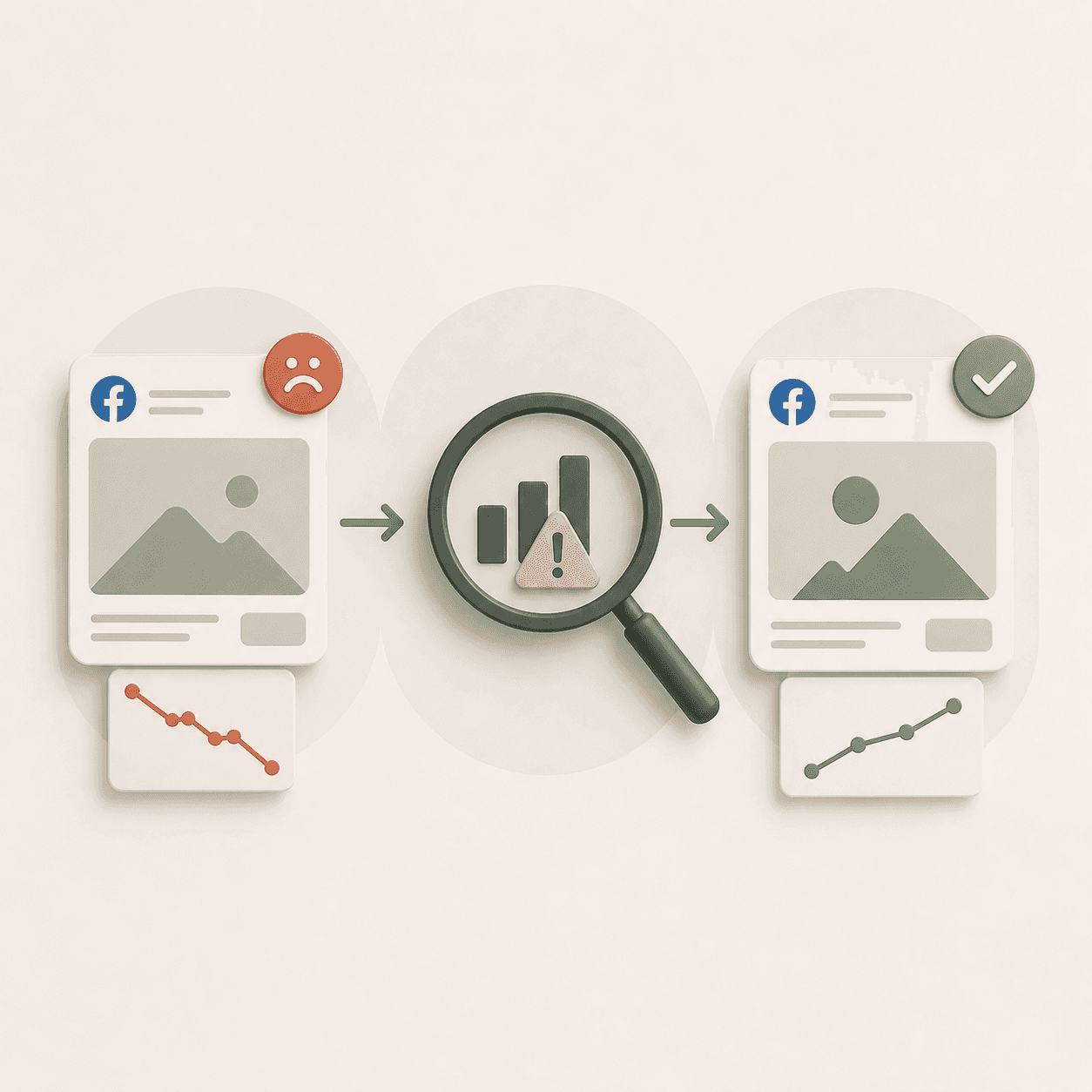
Table Of Contents

No headings found on page

How to Identify and Fix Meta Ad Fatigue in 2026

Your Meta ads were crushing it last month. Now CTR is sliding, CPA is climbing, and you're not sure what changed.

What changed is your audience got tired of seeing the same creative. Meta ad fatigue—when overexposure causes engagement to drop and costs to rise—is one of the most common reasons performance decays, and it happens faster than most advertisers expect. This guide covers how to spot fatigue early using the right metrics, fix it with meaningful creative changes, and build a system that prevents it from wrecking your next campaign.

Key Takeaways

  • Meta ad fatigue happens when your audience sees the same ad too many times. Engagement drops, costs rise, and your budget gets wasted on people who've already tuned out.

  • First-Time Impression Rate is your earliest warning sign. When it falls below 50%, more than half your spend is going to people who've already seen your ad.

  • Frequency thresholds vary by campaign type. Prospecting campaigns typically fatigue around 2.5-3 frequency, while retargeting can tolerate 8-10.

  • Fixing fatigue means introducing meaningfully different creative. Tweaking a headline or swapping a color doesn't count—you want new hooks, formats, and visual styles.

  • Prevention beats reaction every time. A structured creative pipeline with scheduled rotation keeps you ahead of fatigue instead of scrambling when CPA spikes.

What Is Meta Ad Fatigue

Meta ad fatigue occurs when your audience sees the same ad repeatedly and stops engaging with it. People scroll past without clicking, or they hide the ad entirely. When engagement drops, Meta's algorithm works harder to find people who will convert, which drives up your costs.

Inside Ads Manager, Meta calls this "creative fatigue." The platform sometimes flags ads as "Creative Limited" when it detects declining performance from overexposure. Whether you call it ad fatigue, creative fatigue, or Facebook ad fatigue, the problem is the same: your creative has worn out its welcome with your audience.

What Causes Facebook Ad Fatigue

Four factors typically drive ad fatigue, and they often compound each other.

Audience Overexposure

When you show ads to the same people over and over, they tune out. Frequency—the average number of times each user sees your ad—is the primary driver here. A frequency of 5 means the average person in your audience has seen your ad five times. That's a lot of repetition.

Limited Creative Variation

Running only two or three ads means each one gets shown more often to the same people. Without creative diversity, fatigue accelerates. If your entire ad account relies on variations of one concept, you're setting yourself up for rapid burnout.

Small Audience Pools

Narrow targeting sounds precise, but it means the same users see your ads constantly. A 50,000-person audience will fatigue far faster than a 2 million-person audience at the same daily spend. The math is simple: fewer people means more impressions per person.

Static Messaging Over Time

Even strong creative becomes stale if your hooks, copy, and offers never change. What worked three months ago may feel repetitive to your audience today. People remember ads, especially if they've seen them multiple times.

Warning Signs Your Meta Ads Have Creative Fatigue

Catching fatigue early saves budget. Here's what to watch for, roughly in the order you'll notice them.

1. Declining Click-Through Rate

CTR (click-through rate) measures the percentage of people who click your ad after seeing it. When CTR starts dropping—especially if it falls 20% or more below your recent baseline—users are likely ignoring your creative because they've seen it before. This is often the first visible symptom.

2. Rising Frequency Above Your Threshold

Frequency tells you how many times, on average, each user has seen your ad. For prospecting campaigns, fatigue often sets in around a frequency of 2.5 to 3. Retargeting campaigns can tolerate higher frequency—sometimes up to 8 or 10—because the audience already knows your brand and expects to see you.

3. Increasing Cost Per Acquisition

CPA (cost per acquisition) rises when engagement drops. If your CPA climbs 15-25% over a one- to two-week window while nothing else has changed, fatigue is a likely culprit. However, CPA is a lagging indicator—by the time it spikes, fatigue has already been hurting performance for days.

4. Dropping First-Time Impression Rate

First-Time Impression Rate shows what percentage of your impressions reach users who haven't seen your ad before. This metric is your early warning system. When it falls below 50%, you're spending more than half your budget re-serving ads to people who've already seen them. That's expensive repetition.

5. Negative Audience Reactions and Feedback

Ad hides, negative comments, and declining engagement rate signal audience frustration. Meta tracks ad hides and negative feedback, then reduces delivery to protect user experience. This further increases your costs because the algorithm has fewer people to show your ad to.

Key Metrics That Indicate Facebook Ad Fatigue

Here's a quick reference for the specific metrics to monitor and the thresholds that signal trouble:

Metric

What It Measures

Fatigue Warning Sign

Frequency

Average impressions per user

Above 2.5-3 for prospecting

First-Time Impression Rate

% of impressions to new users

Below 50%

CTR

Click-through rate

20%+ decline from baseline

CPA

Cost per acquisition

15-25% increase over 1-2 weeks

Similarity Score

How alike your creatives are

High score with declining performance

Frequency

You'll find frequency in your Ads Manager columns under "Performance." For prospecting, keep it under 3. For retargeting, you have more room, but even warm audiences fatigue eventually. Watch the trend over time, not just the absolute number.

First-Time Impression Rate

This metric lives in the Delivery section of your ad reporting. A healthy prospecting campaign typically shows 65-80% First-Time Impression Rate. Below 50% means you're burning through your audience faster than you're reaching new people.

Click-Through Rate and Engagement Rate

Declining CTR is often the first visible symptom of fatigue. Compare current CTR to your 30-day average. A sustained drop over several days, rather than a single bad day, signals creative wear-out.

Cost Per Acquisition

CPA is a lagging indicator. By the time CPA spikes, fatigue has already been hurting performance. That's why leading indicators like First-Time Impression Rate matter more for early detection.

Similarity Score

Meta's Similarity Score flags when your creatives look too much alike. If you're running five ads that are all minor variations of the same concept—same background, same talent, same hook structure—Meta will tell you. Your audience will treat them as one repetitive ad.

How to Check for Ad Fatigue in Meta Ads Manager

Finding fatigue indicators takes about five minutes once you know where to look.

1. Open the Creative Reporting Tab

Navigate to Ads Manager, then click "Creative Reporting" in the left sidebar. This view surfaces performance by creative asset rather than by campaign, which makes it easier to spot which specific ads are fatiguing.

2. Add the Creative Fatigue Column

Click "Columns" and customize your view to include the Creative Fatigue status. Meta will flag ads as "Creative Limited" or show a fatigue indicator when performance is declining from overexposure.

3. Review Similarity Score Alerts

In the same reporting view, check for Similarity Score warnings. Meta highlights when multiple creatives are too similar, which accelerates fatigue across your entire ad set because users perceive them as the same ad.

4. Compare Performance Trends Week Over Week

Use the date comparison feature to view this week versus last week. Look for CTR declines, CPA increases, and First-Time Impression Rate drops happening together. Patterns across multiple metrics confirm fatigue rather than normal day-to-day variation.

How to Identify and Fix Meta Ad Fatigue in 2026

Your Meta ads were crushing it last month. Now CTR is sliding, CPA is climbing, and you're not sure what changed.

What changed is your audience got tired of seeing the same creative. Meta ad fatigue—when overexposure causes engagement to drop and costs to rise—is one of the most common reasons performance decays, and it happens faster than most advertisers expect. This guide covers how to spot fatigue early using the right metrics, fix it with meaningful creative changes, and build a system that prevents it from wrecking your next campaign.

Key Takeaways

  • Meta ad fatigue happens when your audience sees the same ad too many times. Engagement drops, costs rise, and your budget gets wasted on people who've already tuned out.

  • First-Time Impression Rate is your earliest warning sign. When it falls below 50%, more than half your spend is going to people who've already seen your ad.

  • Frequency thresholds vary by campaign type. Prospecting campaigns typically fatigue around 2.5-3 frequency, while retargeting can tolerate 8-10.

  • Fixing fatigue means introducing meaningfully different creative. Tweaking a headline or swapping a color doesn't count—you want new hooks, formats, and visual styles.

  • Prevention beats reaction every time. A structured creative pipeline with scheduled rotation keeps you ahead of fatigue instead of scrambling when CPA spikes.

What Is Meta Ad Fatigue

Meta ad fatigue occurs when your audience sees the same ad repeatedly and stops engaging with it. People scroll past without clicking, or they hide the ad entirely. When engagement drops, Meta's algorithm works harder to find people who will convert, which drives up your costs.

Inside Ads Manager, Meta calls this "creative fatigue." The platform sometimes flags ads as "Creative Limited" when it detects declining performance from overexposure. Whether you call it ad fatigue, creative fatigue, or Facebook ad fatigue, the problem is the same: your creative has worn out its welcome with your audience.

What Causes Facebook Ad Fatigue

Four factors typically drive ad fatigue, and they often compound each other.

Audience Overexposure

When you show ads to the same people over and over, they tune out. Frequency—the average number of times each user sees your ad—is the primary driver here. A frequency of 5 means the average person in your audience has seen your ad five times. That's a lot of repetition.

Limited Creative Variation

Running only two or three ads means each one gets shown more often to the same people. Without creative diversity, fatigue accelerates. If your entire ad account relies on variations of one concept, you're setting yourself up for rapid burnout.

Small Audience Pools

Narrow targeting sounds precise, but it means the same users see your ads constantly. A 50,000-person audience will fatigue far faster than a 2 million-person audience at the same daily spend. The math is simple: fewer people means more impressions per person.

Static Messaging Over Time

Even strong creative becomes stale if your hooks, copy, and offers never change. What worked three months ago may feel repetitive to your audience today. People remember ads, especially if they've seen them multiple times.

Warning Signs Your Meta Ads Have Creative Fatigue

Catching fatigue early saves budget. Here's what to watch for, roughly in the order you'll notice them.

1. Declining Click-Through Rate

CTR (click-through rate) measures the percentage of people who click your ad after seeing it. When CTR starts dropping—especially if it falls 20% or more below your recent baseline—users are likely ignoring your creative because they've seen it before. This is often the first visible symptom.

2. Rising Frequency Above Your Threshold

Frequency tells you how many times, on average, each user has seen your ad. For prospecting campaigns, fatigue often sets in around a frequency of 2.5 to 3. Retargeting campaigns can tolerate higher frequency—sometimes up to 8 or 10—because the audience already knows your brand and expects to see you.

3. Increasing Cost Per Acquisition

CPA (cost per acquisition) rises when engagement drops. If your CPA climbs 15-25% over a one- to two-week window while nothing else has changed, fatigue is a likely culprit. However, CPA is a lagging indicator—by the time it spikes, fatigue has already been hurting performance for days.

4. Dropping First-Time Impression Rate

First-Time Impression Rate shows what percentage of your impressions reach users who haven't seen your ad before. This metric is your early warning system. When it falls below 50%, you're spending more than half your budget re-serving ads to people who've already seen them. That's expensive repetition.

5. Negative Audience Reactions and Feedback

Ad hides, negative comments, and declining engagement rate signal audience frustration. Meta tracks ad hides and negative feedback, then reduces delivery to protect user experience. This further increases your costs because the algorithm has fewer people to show your ad to.

Key Metrics That Indicate Facebook Ad Fatigue

Here's a quick reference for the specific metrics to monitor and the thresholds that signal trouble:

Metric

What It Measures

Fatigue Warning Sign

Frequency

Average impressions per user

Above 2.5-3 for prospecting

First-Time Impression Rate

% of impressions to new users

Below 50%

CTR

Click-through rate

20%+ decline from baseline

CPA

Cost per acquisition

15-25% increase over 1-2 weeks

Similarity Score

How alike your creatives are

High score with declining performance

Frequency

You'll find frequency in your Ads Manager columns under "Performance." For prospecting, keep it under 3. For retargeting, you have more room, but even warm audiences fatigue eventually. Watch the trend over time, not just the absolute number.

First-Time Impression Rate

This metric lives in the Delivery section of your ad reporting. A healthy prospecting campaign typically shows 65-80% First-Time Impression Rate. Below 50% means you're burning through your audience faster than you're reaching new people.

Click-Through Rate and Engagement Rate

Declining CTR is often the first visible symptom of fatigue. Compare current CTR to your 30-day average. A sustained drop over several days, rather than a single bad day, signals creative wear-out.

Cost Per Acquisition

CPA is a lagging indicator. By the time CPA spikes, fatigue has already been hurting performance. That's why leading indicators like First-Time Impression Rate matter more for early detection.

Similarity Score

Meta's Similarity Score flags when your creatives look too much alike. If you're running five ads that are all minor variations of the same concept—same background, same talent, same hook structure—Meta will tell you. Your audience will treat them as one repetitive ad.

How to Check for Ad Fatigue in Meta Ads Manager

Finding fatigue indicators takes about five minutes once you know where to look.

1. Open the Creative Reporting Tab

Navigate to Ads Manager, then click "Creative Reporting" in the left sidebar. This view surfaces performance by creative asset rather than by campaign, which makes it easier to spot which specific ads are fatiguing.

2. Add the Creative Fatigue Column

Click "Columns" and customize your view to include the Creative Fatigue status. Meta will flag ads as "Creative Limited" or show a fatigue indicator when performance is declining from overexposure.

3. Review Similarity Score Alerts

In the same reporting view, check for Similarity Score warnings. Meta highlights when multiple creatives are too similar, which accelerates fatigue across your entire ad set because users perceive them as the same ad.

4. Compare Performance Trends Week Over Week

Use the date comparison feature to view this week versus last week. Look for CTR declines, CPA increases, and First-Time Impression Rate drops happening together. Patterns across multiple metrics confirm fatigue rather than normal day-to-day variation.

Want this playbook run for you?

Book a call and get a free audit today.

How to Fix Meta Ad Fatigue

Once you've identified fatigue, here's how to address it.

1. Introduce New Creative Variations

Fresh creative means meaningfully different—not the same video with a new thumbnail. Change the visual style, the talent, the setting, or the format entirely. If you've been running talking-head videos, try a product demo or a text-overlay static—there are several creative strategies that consistently perform right now. The goal is to make the ad feel new to someone who's seen your previous work.

2. Refresh Your Ad Hooks and Copy

The first two to three seconds of video and the opening line of copy fatigue fastest. Test new hooks while keeping your winning offer and CTA. Sometimes a new opening is all you want—the rest of the ad can stay the same.

3. Test New Formats and Placements

If your static images are fatiguing, try carousel or video. If Feed is exhausted, test Reels or Stories. Different placements reach users in different contexts, which can extend creative life because the experience feels different.

4. Expand Your Target Audience

Broader targeting or new lookalike audiences give you access to fresh users who haven't seen your ads. This is especially important if you've been running narrow interest-based targeting that's now exhausted.

5. Pause High-Frequency Underperformers

Sometimes the right move is to turn off fatigued ads rather than trying to revive them. A simple rule: if frequency exceeds 4 and CPA is 25% above target, pause the ad and rotate in something new.

How to Prevent Ad Fatigue on Facebook and Instagram

Prevention requires a system, not reactive fixes when performance crashes.

1. Build a Creative Pipeline

Maintain a backlog of three to five ready-to-launch creatives at all times. Building a creative production system ensures you can rotate in fresh assets immediately instead of scrambling to produce something new under pressure.

2. Rotate Creatives on a Fixed Schedule

Don't wait for performance to crash. At $50K+ monthly spend, plan to introduce new creative every two to three weeks. Have a creative brief ready for each rotation cycle. At lower spend levels, every four to six weeks may be sufficient. The higher your spend, the faster you burn through audiences.

3. Set Frequency Caps

For prospecting campaigns, consider setting frequency caps to limit overexposure. This forces Meta to find new users rather than re-serving to the same audience repeatedly.

4. Use Advantage+ and Dynamic Creative

Meta's automated tools rotate creative elements, which can help extend creative life. However, following Meta ads best practices, they don't solve underlying diversity issues. If all your assets are variations of the same concept, Advantage+ can't fix that.

5. Expand Audience Targeting Proactively

Test broader audiences before your current audiences exhaust. Gradual expansion is easier than emergency pivots when performance crashes and you're scrambling to find new people to reach.

How to Monitor Creative Ads on Facebook for Ongoing Fatigue

Building a repeatable monitoring process catches fatigue before it damages performance.

Set Up Automated Performance Alerts

Create rules in Meta Ads Manager that notify you when frequency exceeds 3 or when CPA rises 20% above your target. Third-party tools can add more sophisticated alerting if you want to track multiple metrics together.

Establish a Weekly Fatigue Review Cadence

Every week, spend 15 minutes reviewing First-Time Impression Rate, frequency, and CTR trends across your top-spending ads. Flag anything showing early fatigue signs for creative refresh in the coming week.

Track First-Time Impression Rate as a Leading Indicator

This metric catches fatigue before CPA spikes. Make it the first thing you check in your weekly review—it tells you whether you're reaching new people or just re-serving to the same audience.

When to Refresh Your Facebook Creative Ads

Timing depends on spend level, audience size, and funnel stage:

  • High-spend accounts ($100K+/month): Expect to refresh top creatives every two to three weeks. At this spend level, you burn through audiences quickly.

  • Retargeting campaigns: Retargeting can run longer since the audience expects to see your brand repeatedly. Refresh every four to six weeks, or when frequency exceeds 8-10.

  • Prospecting campaigns: Watch First-Time Impression Rate closely. When it drops below 50%, it's time for new creative regardless of how long the ad has been running.

How a Creative Testing System Prevents Meta Ad Fatigue

One-off creative refreshes don't solve the underlying problem. You want an ongoing testing framework that continuously identifies winning angles, hooks, and formats—so you always have fresh creative ready to deploy when fatigue hits.

This is where creative strategy, paid media expertise, and landing page optimization work together. Strong creative extends ad life. Smart media buying manages frequency and audience expansion. Optimized landing pages convert the traffic you're paying for. If you're an e-commerce brand, choosing an agency that specializes in e-commerce ensures all three operate as one system. When all three operate as one system, you prevent fatigue instead of reacting to it.

Book a call with Flighted to talk through your creative pipeline and testing framework.

FAQs About Meta Ad Fatigue

How long does it typically take for Meta ad fatigue to set in?

It depends on your daily spend and audience size. At $500/day to a 500,000-person audience, fatigue might take four to six weeks. At $5,000/day to the same audience, you could see fatigue in one to two weeks. Higher spend burns through audiences faster.

Does Meta ad fatigue affect all placements equally?

Feed placements typically fatigue first because they have the highest frequency. Stories and Reels often fatigue slower since users encounter them in different contexts and the experience feels more varied.

Can you reuse a fatigued Meta ad creative after a break?

Yes, after four to eight weeks off, a creative can often be reintroduced successfully. Audience memory fades, and the ad feels fresh again. Performance may not match the original run, but it's worth testing.

Does Meta Advantage+ help reduce ad fatigue automatically?

Advantage+ rotates creative elements, which helps extend life. However, it doesn't solve underlying creative diversity issues. If all your assets are variations of the same concept, Advantage+ can't fix that problem.

What ad spend level requires more frequent creative refreshes?

Higher daily spend burns through audiences faster. Accounts spending $100K+/month typically want new creative every two to three weeks, while accounts at $20K/month might stretch to four to six weeks before fatigue becomes a problem.

Related Posts

Related Posts

Related Posts

Related Posts

Ready to talk?

Book A Call

We are a Paid Media agency based in New York, NY.

Flighted

New York, NY 11217

hello@flighted.co

© Flighted, 2026

Ready to talk?

Book A Call

We are a Paid Media agency based in New York, NY.

Flighted

New York, NY 11217

hello@flighted.co

© Flighted, 2026